What I Built
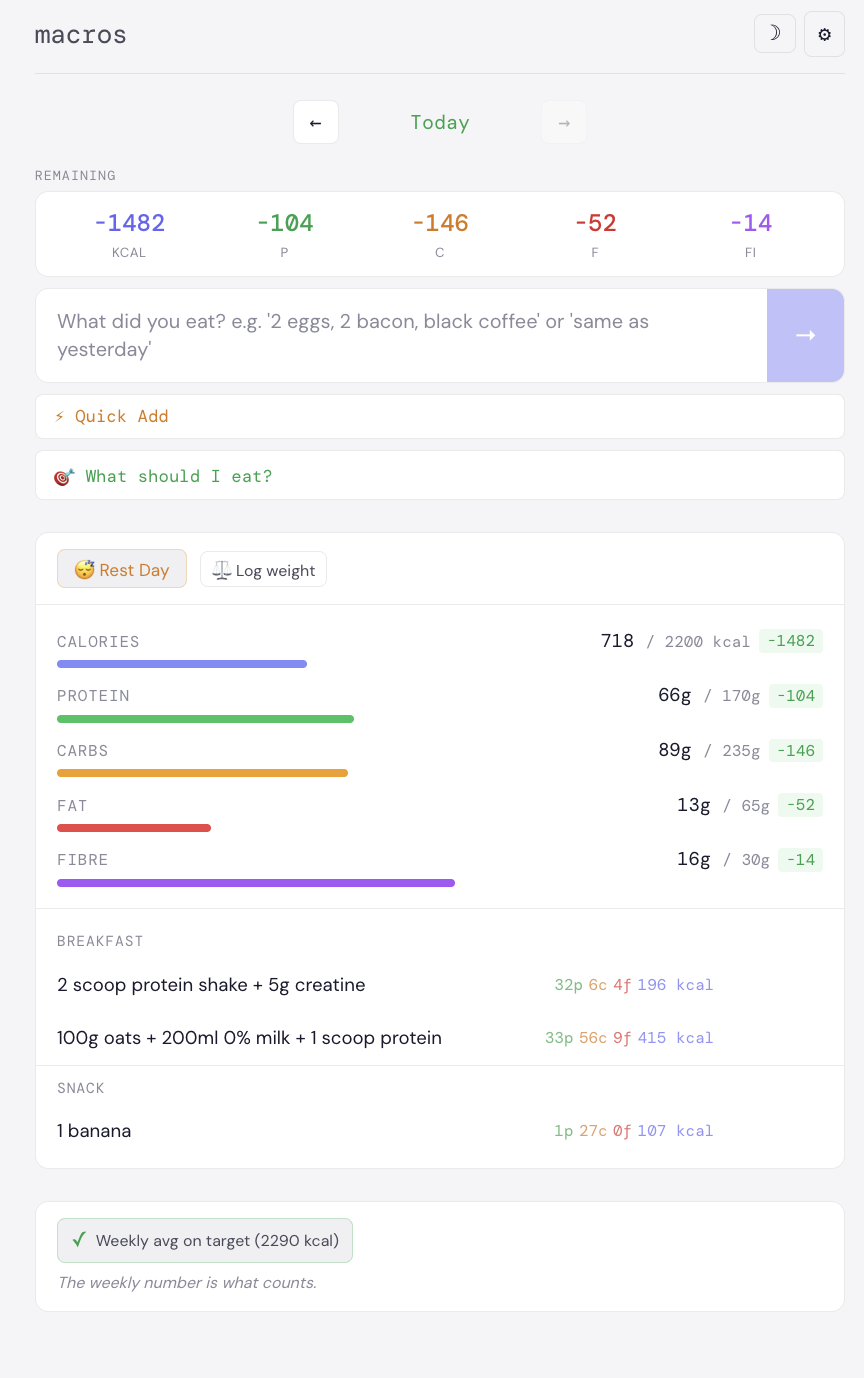
A nutrition tracking progressive web app built for daily use. The core problem: logging food accurately is tedious if you have to search a database for every ingredient. The solution is a conversational input layer: type "150g chicken breast with 200g rice and a tbsp of olive oil" and the Claude Sonnet API parses that into structured macro data. You confirm, edit if needed, and save. No searching, no drop-downs.
The app has been my primary nutrition tool for over 90 consecutive days. That sustained real-world use has driven every iteration — the batch cook system, the pantry tracker, the receipt scanner all came from hitting actual friction points.
Database Architecture
Core Features
Conversational Food Logging
Type meals in plain English. The Claude Sonnet API parses natural language into protein, carbs, fat, calories, and fibre. You see the parsed result and confirm, edit individual values, or reject before anything is saved to the database.
Batch Cook System
Describe a recipe in natural language. The API creates it with per-portion macros calculated from the verified food item database. Raw ingredients are deducted from pantry on cook. Remaining portions are tracked — log a portion and pantry updates accordingly.
Receipt OCR
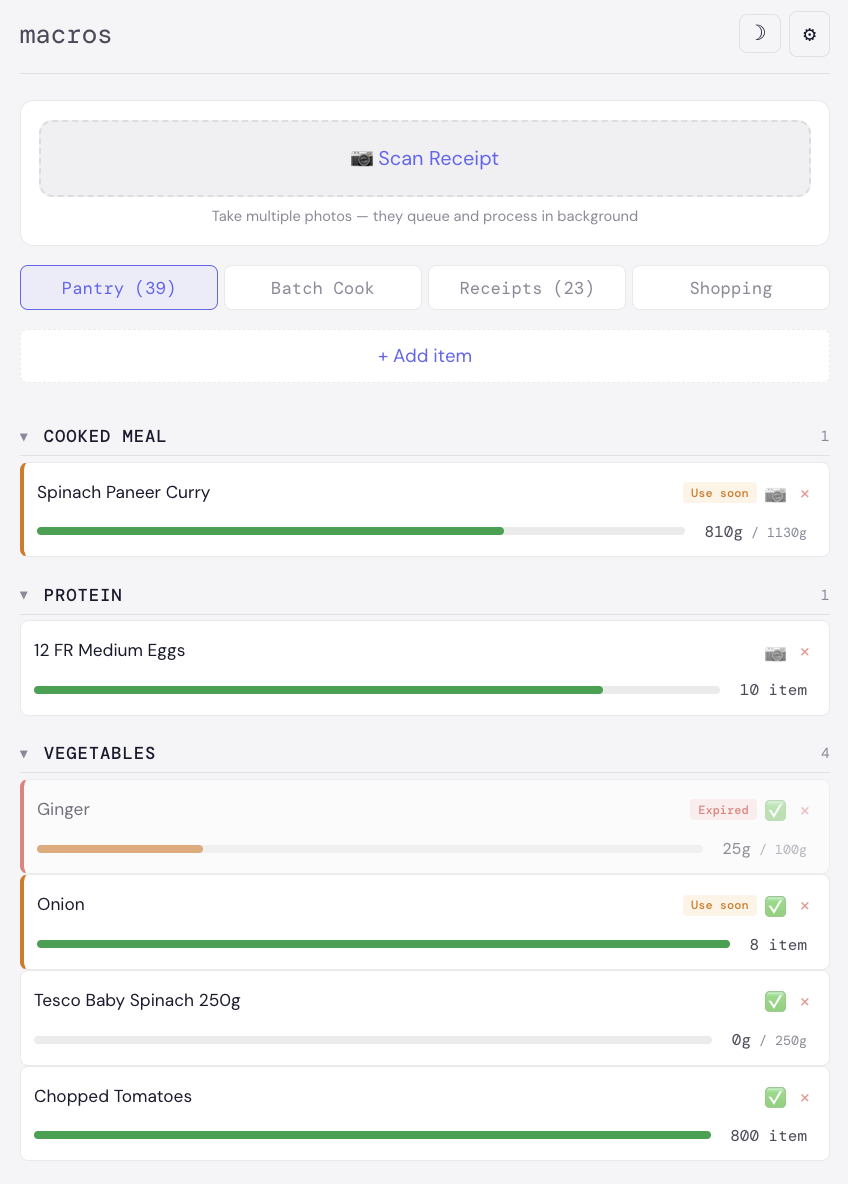
Photograph a shopping receipt. The AI extracts line items, matches each against the verified food database, and auto-populates the pantry with quantities and expiry estimates. Reduces pantry entry from minutes to seconds.
AI Meal Suggestions
Scores all 26+ saved meals against remaining daily macro targets. Then generates contextual suggestions using pantry contents, food exclusions, meal history, time of day, and the remaining macro gap. Surfaces what to eat next, not just what you've eaten.
Micronutrient Tracking
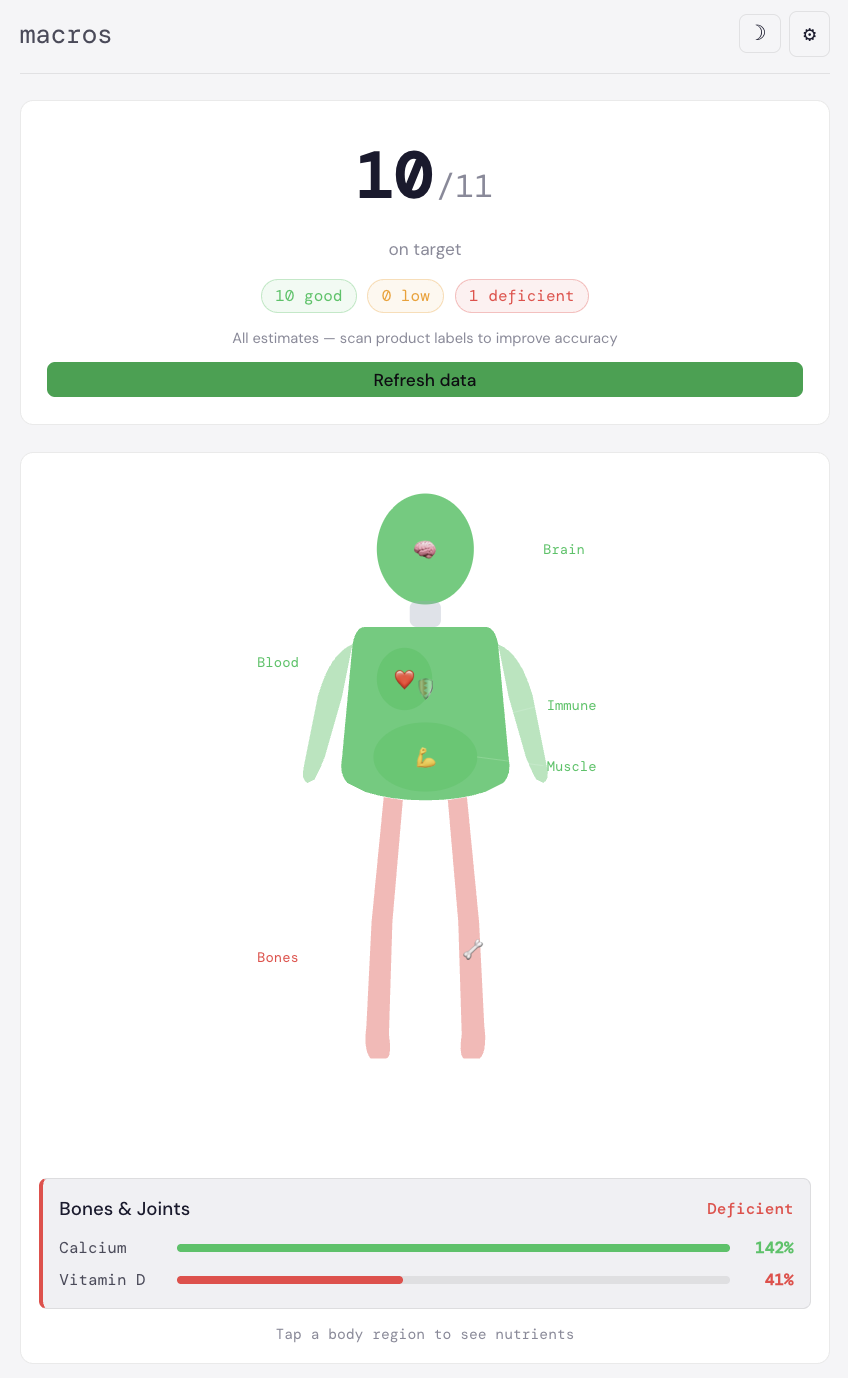
Tracks intake against NHS RDA targets for key micronutrients. Traffic-light status per nutrient. Separate from macros — you can hit your protein target and still see where you're consistently under on vitamins or minerals.
Pantry Management
Tracks quantities, categories, and expiry dates. Usage rates update automatically as meals are logged. The meal suggester draws from pantry contents to recommend meals you can actually cook right now.
The App
Nutrition Dashboard with Macro Breakdown
Calorie Tracking Over Time
Pantry Management and Receipt OCR Scanner
The AI Works at Two Levels
Claude is involved in two completely separate ways in this project. First, it's the development tool: the entire codebase was built through AI-assisted pair programming, with each feature passing through structured engineering, product, design, QA, and operations review gates before being committed.
Second, it's the runtime engine: the Claude Sonnet API runs live in production, parsing user input into structured data on every food log, receipt scan, and meal suggestion request. The user never touches a database search field; the AI handles the unstructured-to-structured conversion.
When It Went Wrong
DEBUGGING STORY
During a build session, an AI-written Python script hit a unicode encoding error and silently wrote an empty file over the 260-line MealSuggester React component. The app went white. The error message pointed to .length on undefined — not the real problem.
Traced back to a 0-byte file. The component couldn't be recovered from the Docker container because only backend files are volume-mounted; frontend build files aren't. The component had to be rewritten from scratch.
The first rewrite attempt failed because the AI assumed different prop names than the parent component actually passes. Caught from the error output, corrected against the actual parent, deployed clean. Total recovery time: one session.
This incident changed how backend scripts are run during builds: temp files write to a separate staging path first, and the component swap only happens after a byte-count validation check on the output.
Deployment
Runs on a self-managed Ubuntu VPS (217.154.41.233) via Docker Compose. The backend Node.js/Express service and PostgreSQL database run as separate containers with a shared network. Backend source is volume-mounted for rapid iteration; the React PWA builds to a static dist folder served via Nginx.